Guide
How to print passport and licence photos
A compliant photo costs cents to print. Everything that goes wrong at the printing step comes down to one thing: the image getting silently rescaled.
The short answer
Put the photo on a 10×15 cm sheet at exact scale, print it at any photo counter as a standard 10×15 print at 100%, never "fit to page", then cut along the lines. The sheet costs around €0.20–0.40 and holds four photos. "Fit to page" is the enemy because it rescales the image a few percent, which moves your head height out of the permitted band while looking completely normal.
01Start from a sheet, not a bare photo
Photo counters print standard sizes, and 10×15 cm (4×6 in) is universal. A prepared sheet places your photo on that canvas at exact physical scale, adds cut lines, and typically fits four copies, which is what applications that want two or more prints expect. Printing a bare 35×45 mm file directly is how photos come out at the wrong size.
02Order a plain 10×15 print at 100% scale
At the kiosk or counter, order the cheapest standard 10×15 cm print and make sure no 'fit', 'fill' or auto-crop option is on. Say it explicitly at a staffed counter: printed at one hundred percent, no rescaling. That single instruction prevents the most common printing failure.
03Check one measurement before cutting
Put a ruler on the printed photo: the photo itself must measure exactly 35×45 mm (or 2×2 inches for US formats), and the head should sit within your document's chin-to-crown band, which for most 35×45 documents is roughly 32–36 mm. If the numbers are off, the print was rescaled; reprint rather than trim to fit.
04Cut on the lines, keep the surface clean
Scissors are fine; a craft knife and ruler are neater. Handle prints by the edges, since fingerprints and ink smudges on the face are refusal grounds, and never staple or clip through the image area unless the form's instructions tell you to attach it that way.
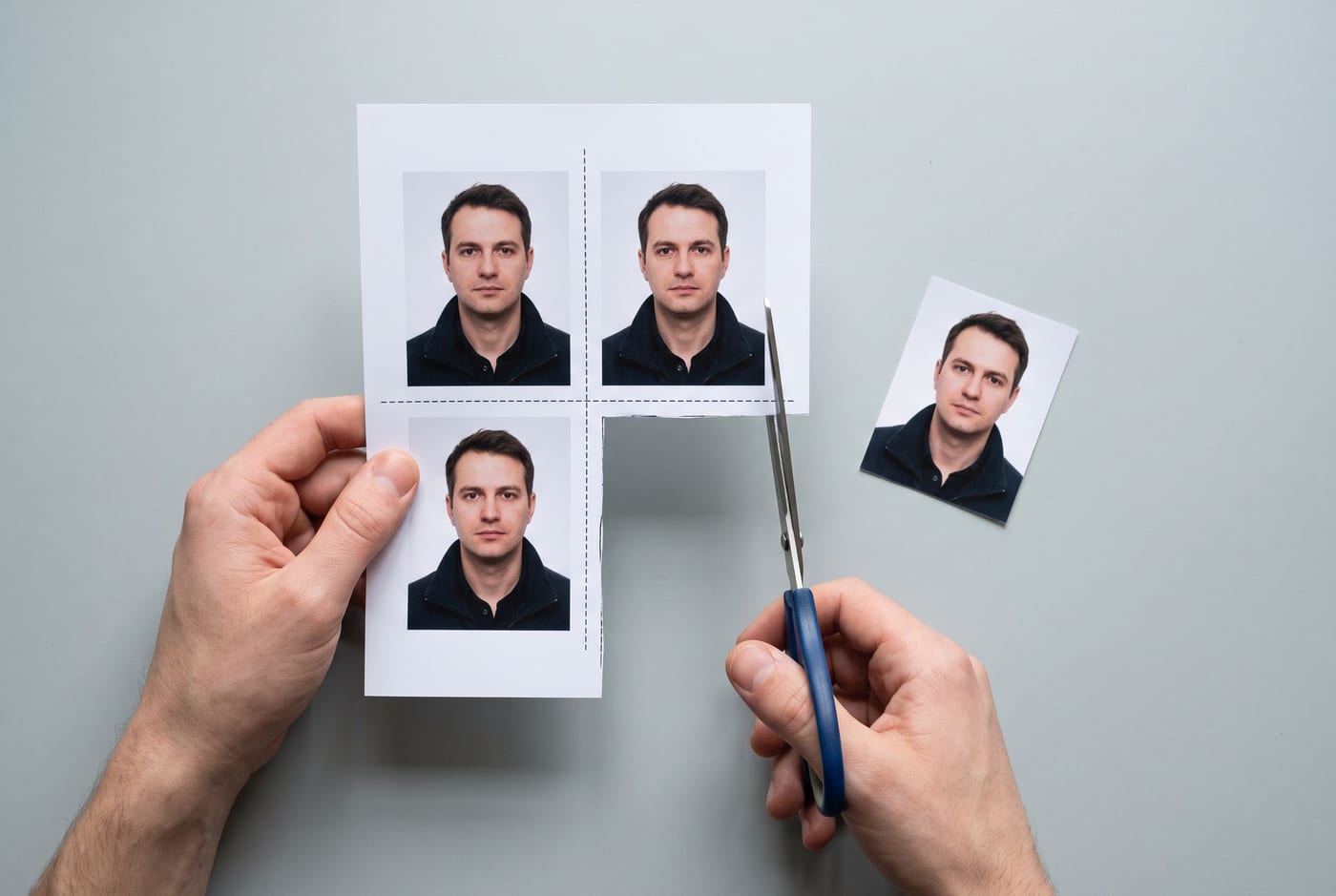
Cutting the sheet
Cut inside the waste area, along the dashed guides, keeping the white border of each photo intact.
The cases where printing differs
UK driving licence (postal routes)
Online renewals reuse your passport photo, so print nothing. Postal routes take one standard 35×45 mm passport-type print, unsigned on the back unless the form says otherwise. The full UK licence rules are here.
US formats print at 2×2 inches
The square US photo goes on the same 4×6 inch sheet; the cut lines just sit differently. Paper filings for green cards want your name and A-Number pencilled lightly on the back. Pencil, because it doesn't emboss or bleed through the image.
Where your print isn't accepted at all
Germany takes no citizen-supplied photos for passports and ID cards since May 2025 (driving licences still take prints); France requires a photographer or approved booth for its own documents; Canada's paper routes need a studio stamp on the back. For those, the printing advice above applies only to the documents that still take your print.
Check the photo before you print it
Printing multiplies whatever is already wrong. The free check measures head size, background and lighting against your exact document first, and the paid download includes the 10×15 cm print sheet with cut lines, set up for exactly this process.
Questions
Can I print passport photos at home?
Yes, if your printer manages true photo quality on photo paper: 300 DPI, no visible banding, accurate colour. A photo counter print costs so little that home printing is rarely worth the risk, because the failure mode (a slightly rescaled print) is invisible until an examiner measures the head height.
How do I print a driving licence photo?
The same way as a passport photo: UK postal routes take a standard 35×45 mm passport-type print. Prepare a 10×15 cm sheet with the photo at exact scale, print it at 100%, and cut along the guide lines. Don't sign the back unless the form asks.
What does 'print at 100%' actually mean?
That the print driver must not rescale the image: 10×15 cm of sheet becomes exactly 10×15 cm of paper. The settings that break it are 'fit to page', 'fill page' and borderless expansion. If the kiosk only offers borderless, check the printed photo with a ruler; the head must still measure inside your document's band.
Glossy or matte paper?
Most authorities accept either as long as the surface is unlaminated and the print is sharp; a few specify. Jamaica, for instance, requires a matte finish. Matte is the safer default anyway because it avoids glare when the photo is scanned or photocopied.
How much does printing cost?
A single 10×15 cm (4×6 inch) print is roughly €0.20–0.40 at pharmacy and supermarket counters, and one sheet holds four ID photos with cut lines. Ordering 'passport photos' as a product at the same counter costs ten to forty times more.
How we handle compliance
- We check your photo against the official rules. We never retouch your face, and we only normalize the background where the destination country permits it.
- Every requirement is cited from official government sources, with the verification date shown on the page.
- What you get is a report of measurements, not a guarantee. Final acceptance always rests with the issuing authority.